Customer Account
Manage your profile, addresses, orders, and wishlist from your account pages.
My Profile
View and update your account information.
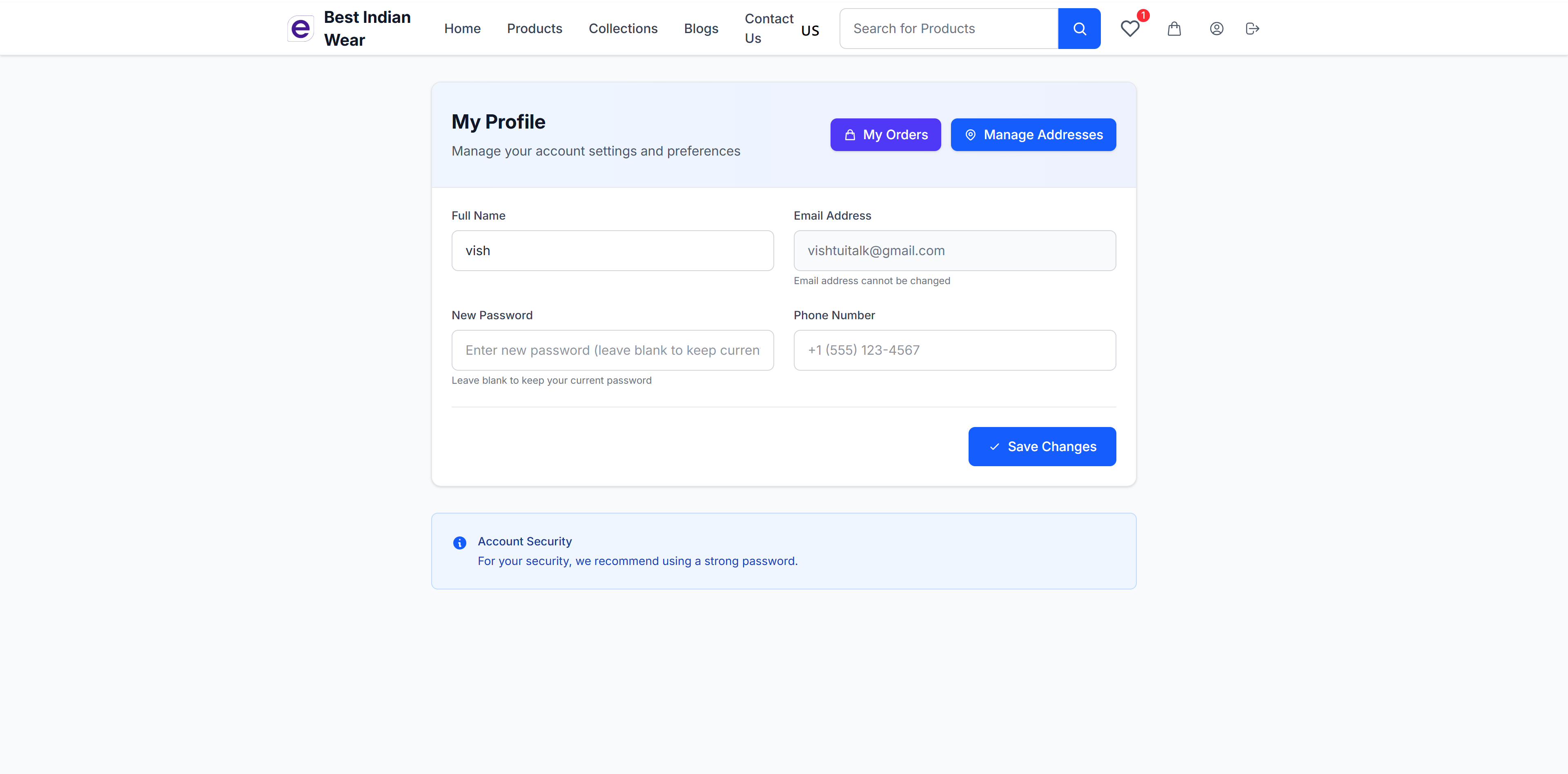
Profile Settings
- Full Name - Your display name
- Email Address - Your login email (cannot be changed)
- New Password - Update your password (leave blank to keep current)
- Phone Number - Contact phone number
- Save Changes - Apply your updates
Quick Links
Two prominent buttons at the top provide quick access to:
- My Orders - View your order history
- Manage Addresses - Manage your delivery addresses
Account Security
A security notice recommends using a strong password for account protection.
Address Management
Manage your saved delivery addresses.
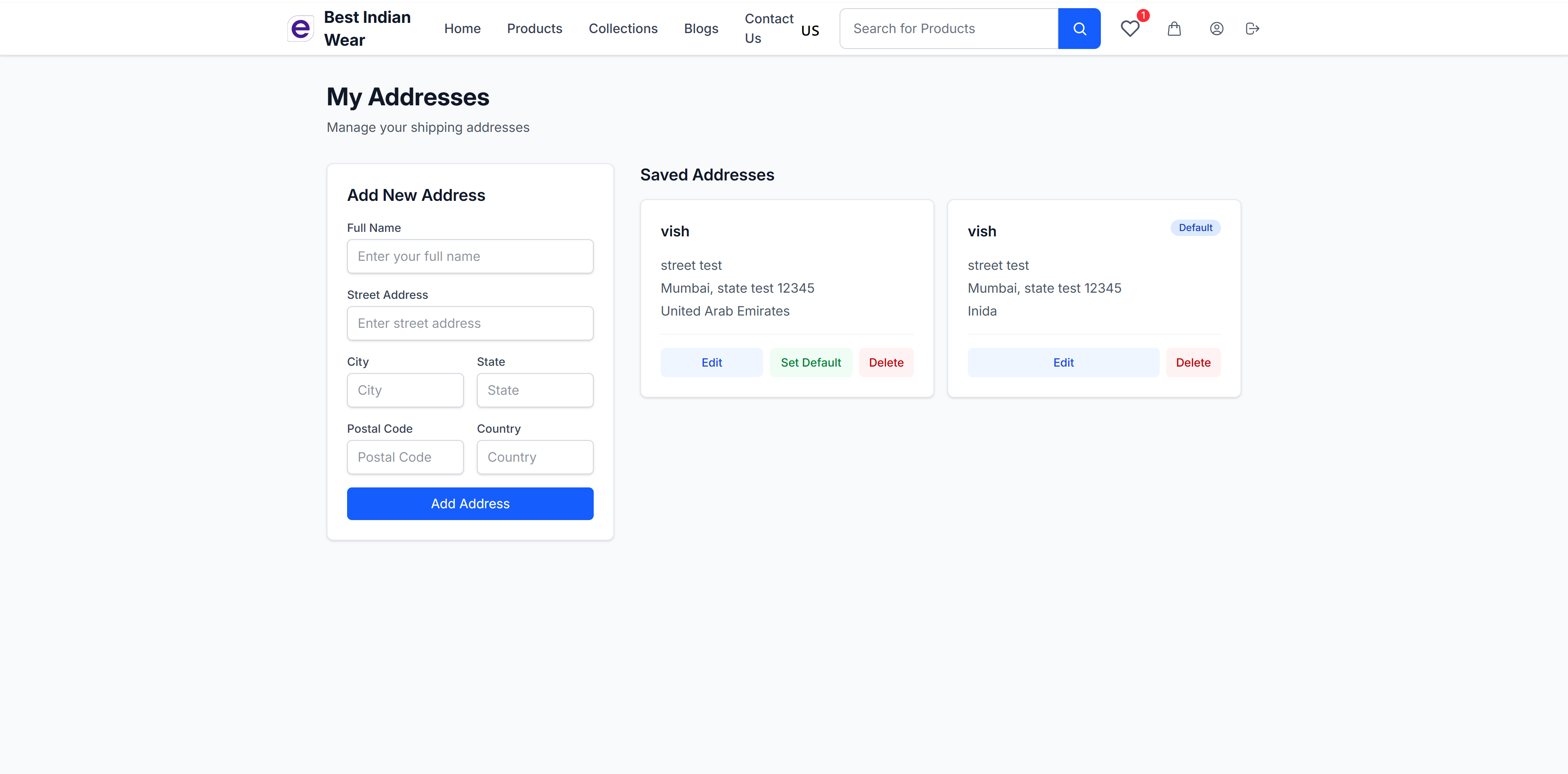
Features
- Add new addresses with full details:
- Name and phone number
- Street address
- City, state/province
- Country and postal code
- Edit existing addresses - Update any address details
- Delete addresses - Remove addresses you no longer need
- Set default address - Mark one address as your default for faster checkout
Saved addresses appear as options during checkout, so you don't have to re-enter your delivery information every time.
Wishlist
Save products you're interested in for later.
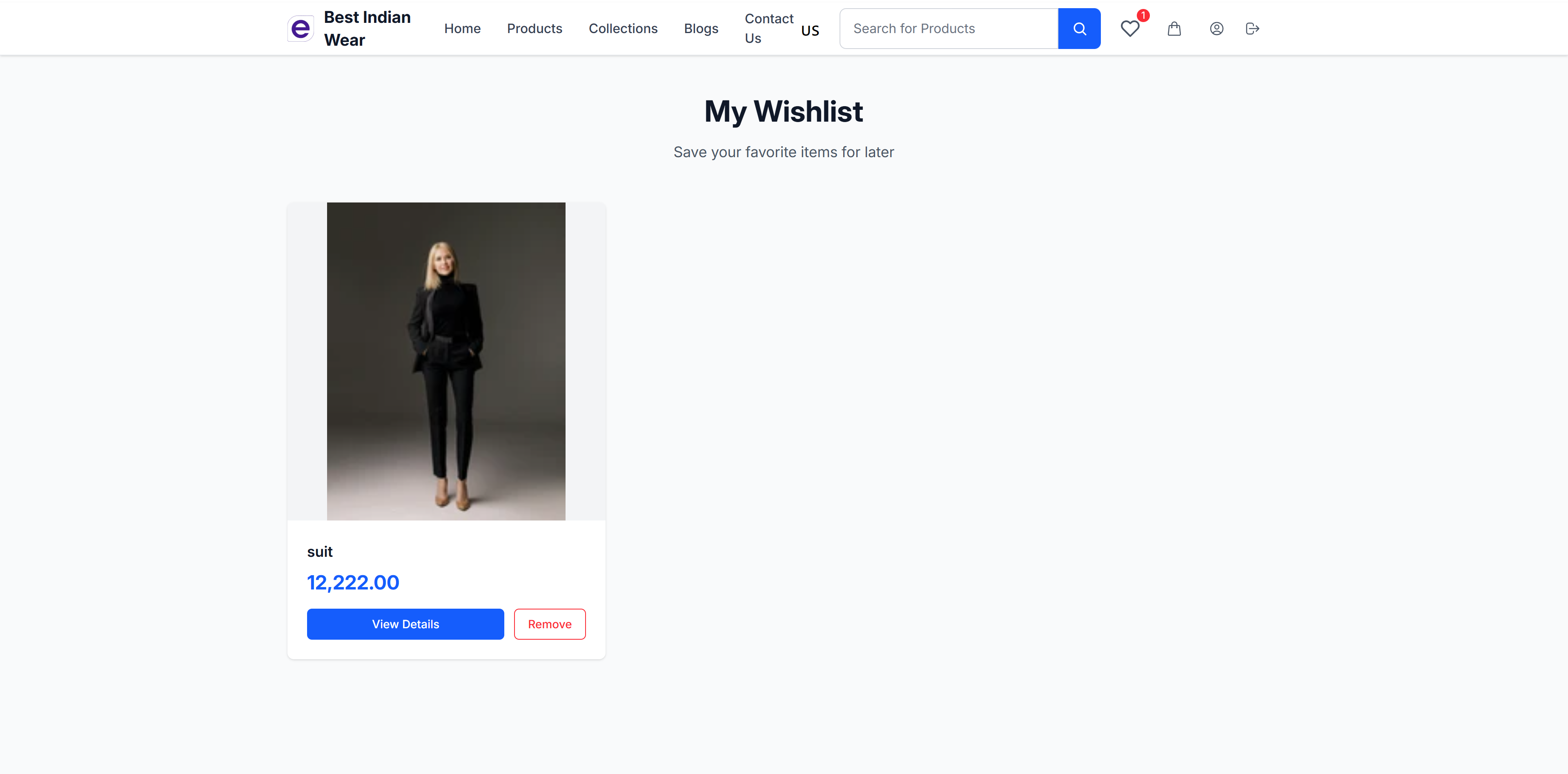
Wishlist Features
- Add to Wishlist - Save any product from its detail page
- View Wishlist - Access all saved items from the heart icon in the header
- Wishlist Badge - The header icon shows the count of wishlisted items
- Quick Actions - Move items to cart or remove from wishlist
- Persistent - Your wishlist is saved to your account and available across devices
Order History
Access your complete order history from your profile page via the My Orders button. View past orders, check delivery status, download invoices, and initiate returns for eligible items.