Orders & Tracking
Track your orders from placement to delivery with real-time status updates.
Order Tracking
Track any order's delivery progress with the visual timeline.
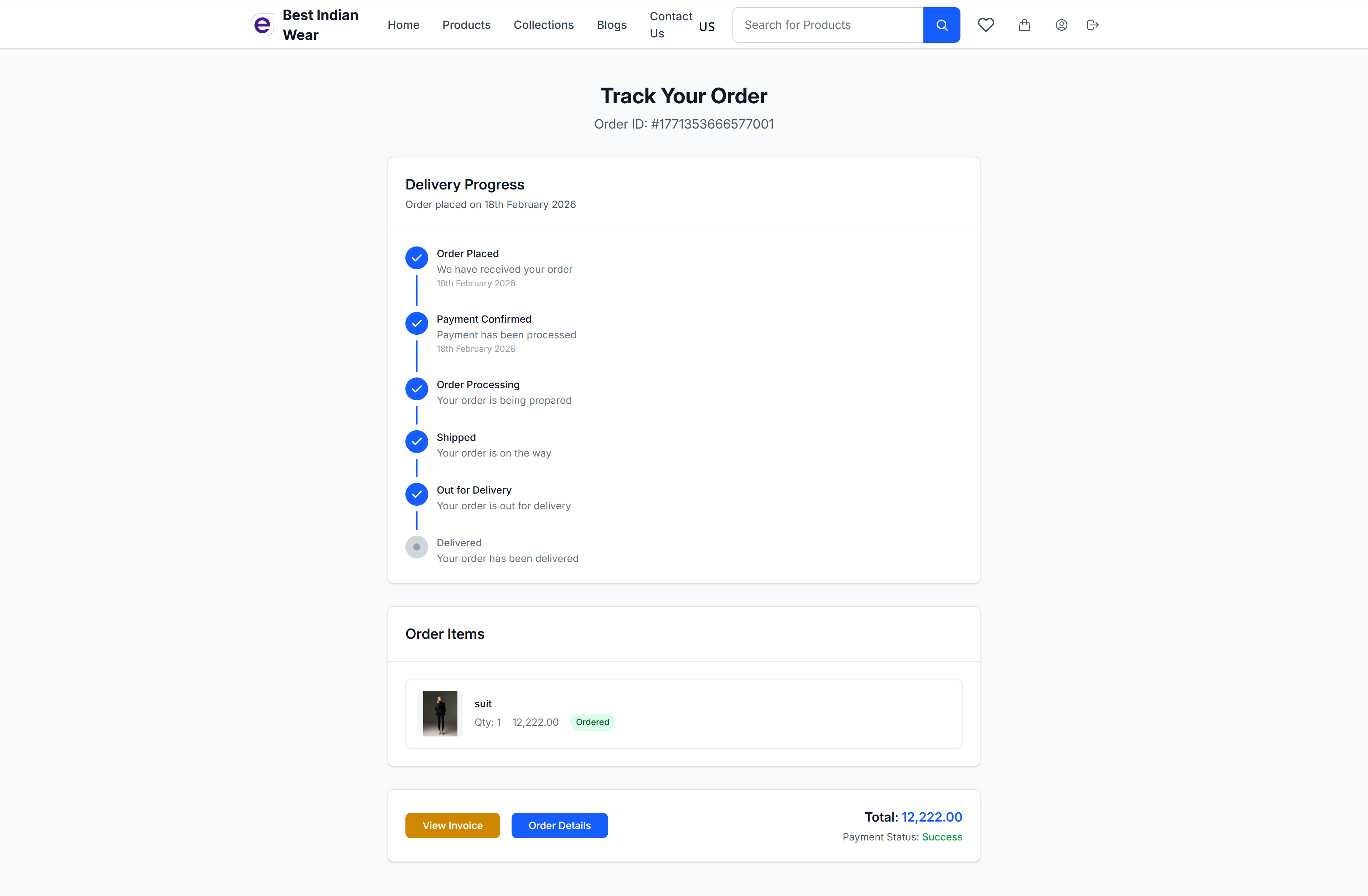
Delivery Progress Timeline
The tracking page shows a visual step-by-step timeline:
- Order Placed - Your order has been received (with date)
- Payment Confirmed - Payment has been processed (with date)
- Order Processing - Your order is being prepared
- Shipped - Your order is on the way
- Out for Delivery - Your order is out for delivery
- Delivered - Your order has been delivered
Each completed step is marked with a blue checkmark, while pending steps remain grey.
The timeline moves by itself: as the courier scans your parcel — shipped, out for delivery, delivered — the order updates automatically, without the store having to do anything.
Order Items
Below the timeline, view the items in your order:
- Product image and name
- Quantity and price
- Status badge (Ordered, Shipped, Delivered)
Actions
- View Invoice - Open the order invoice
- Order Details - Return to the full order detail page
- Total and Payment Status displayed at the bottom
Order Update Messages
Alongside the usual order emails, the store may also send updates by WhatsApp or SMS to the phone number on your order — typically when your order is shipped, out for delivery, and delivered. Each update arrives as a single message: WhatsApp when available, SMS otherwise, never both.
If you signed in with just your phone number, these messages keep you updated even without an email address.
Cancelling an Order or Individual Items
You can cancel from the order page any time before the order ships. You don't have to cancel everything — select just the items you no longer want, and the rest of the order is unaffected and ships as normal.
- Open the order from your account.
- Select the items you want to cancel — some or all of them.
- Confirm the cancellation.
Cancelled items appear with a red Cancelled badge on the order. Once an order has shipped it can no longer be cancelled, and once it's delivered you can request a return instead.
Refunds for cancelled items
If you paid online, cancelled items are refunded to your original payment method. Refunds are per cancellation: cancel one item today and another tomorrow, and each gets its own refund for exactly what you cancelled — nothing is ever refunded twice.
Your order page shows where the money is:
- Refunded — everything has been returned to your payment method.
- Partially refunded — the cancelled items have been refunded; the rest of your order is unaffected.
- Refund being processed by the store — the store handles refunds manually and will process yours shortly.
- Refund in progress — the payment provider is still processing it.
Card refunds typically take 5-7 business days to show on your statement. Cash-on-delivery orders have nothing to refund.
Invoice
View and print a professional invoice for any order.
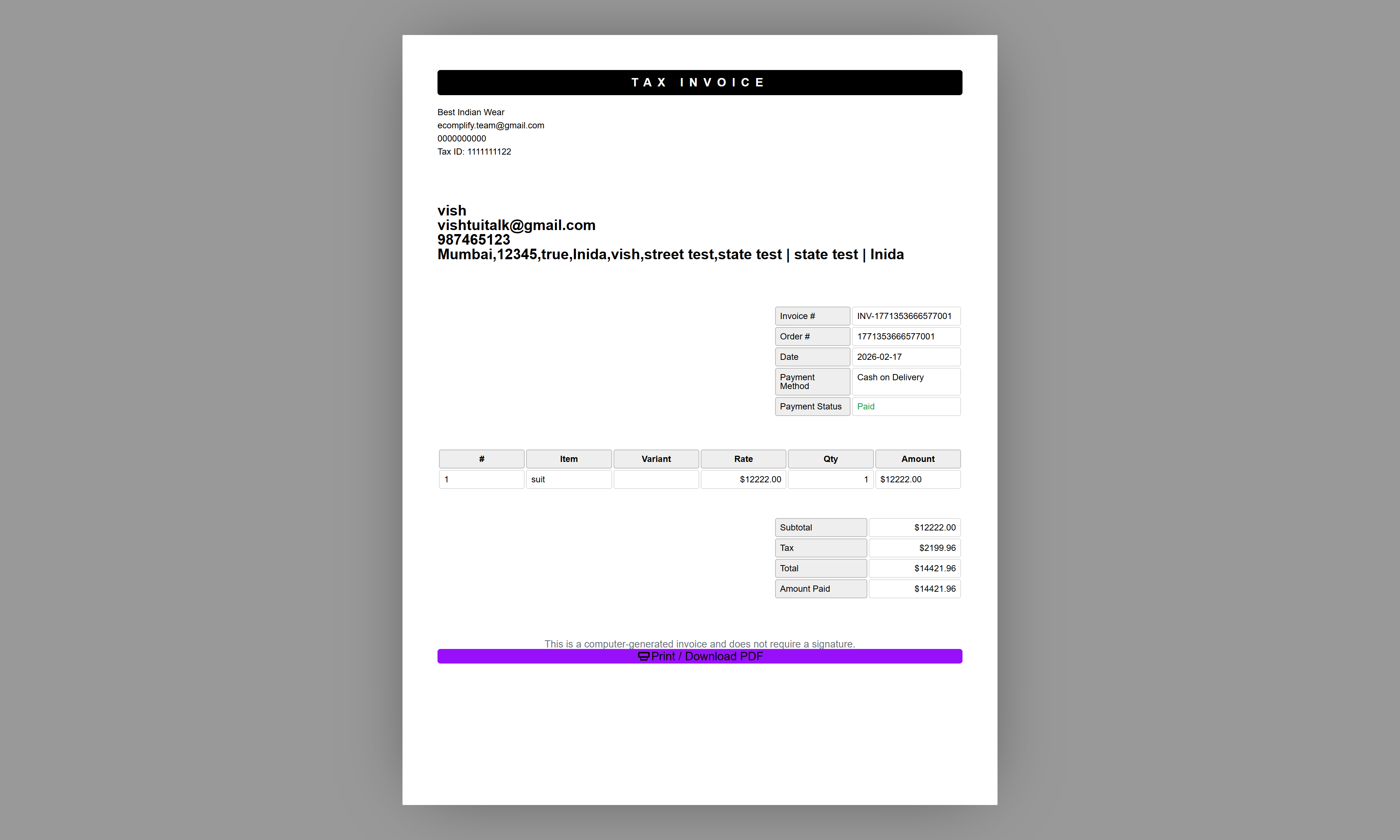
The storefront invoice includes:
- Order details and dates
- Billing and shipping addresses
- Itemized product list
- Price breakdown with tax
- Payment method and status
Contact Us
Reach out to the store for support or inquiries.
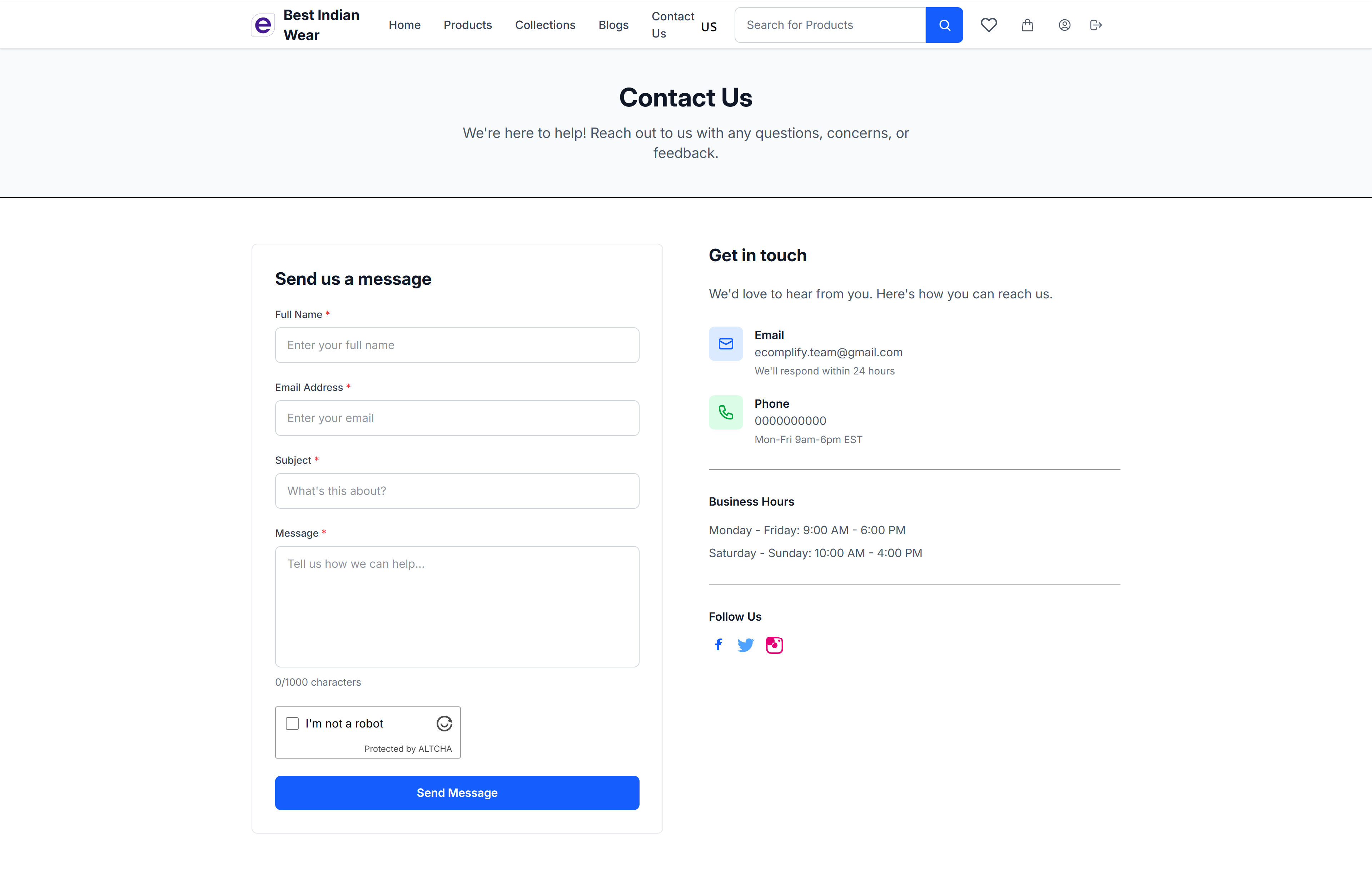
The contact page provides a form for customers to send messages directly to the store owner, which appear in the Dashboard's Messages section.